Devices
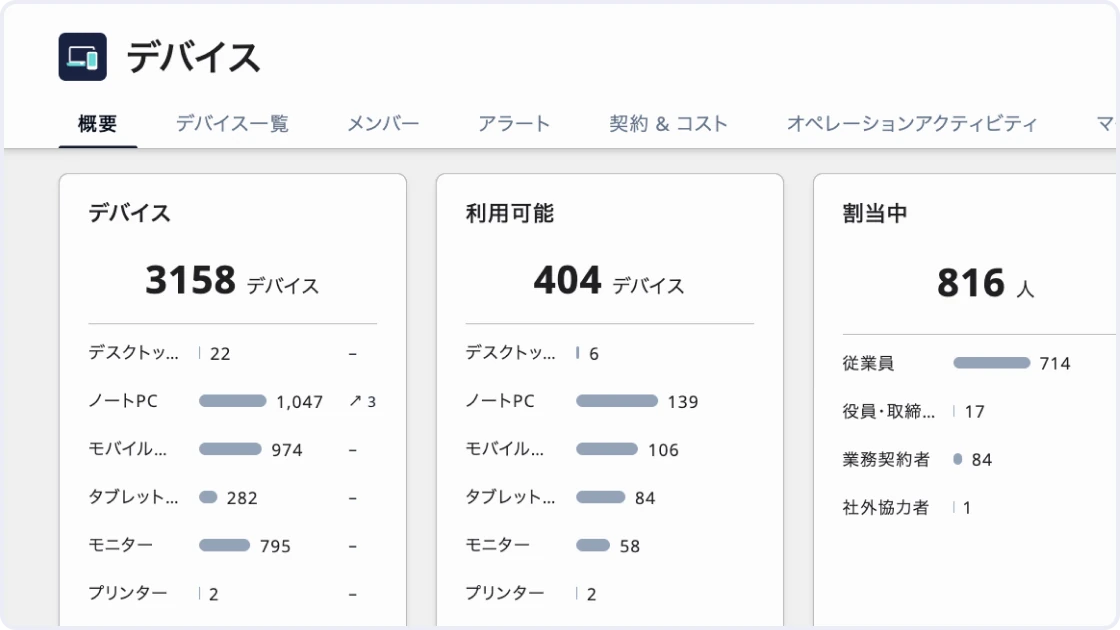
One ledger for every device in your company — from PCs and smartphones to tablets and monitors. Connect the HR ledger and MDM to keep users and assignment status up to date, and manage everything from retrieval at onboarding and offboarding to inventory audits, lease contracts, and costs in one place.
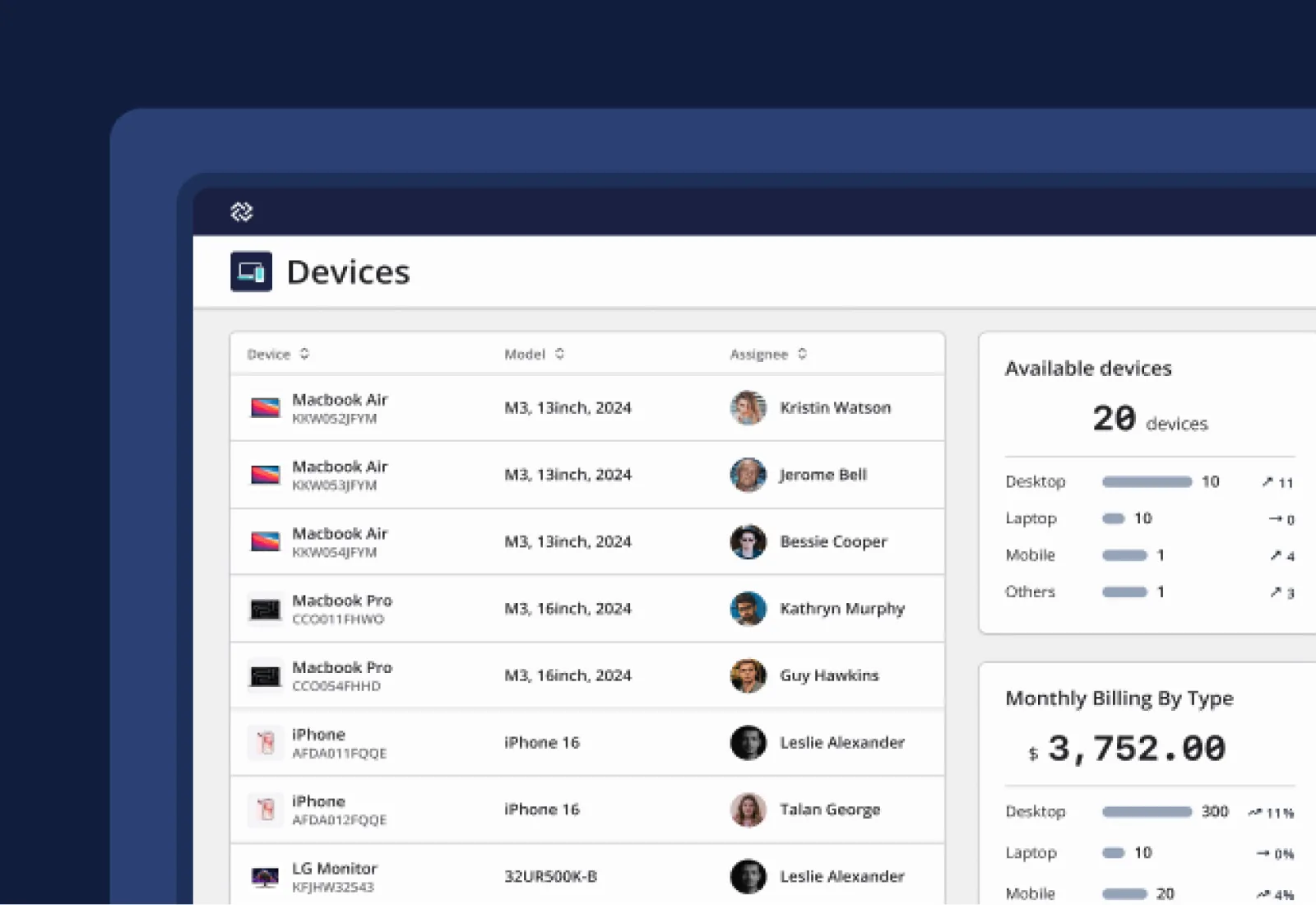
DRESS CODE redefines device management
Track every device and user across the company in one ledger
Manage PCs, smartphones, and even monitors in the same ledger. MDM data is imported automatically, so you can trace who has been using what since when, along with assignment history.
Detect and fix gaps in device management efficiently
Get alerted to devices still held by departed employees and people whose assignments do not follow the rules. For inventory audits, collect responses from users and reconcile only the discrepancies with the ledger.
Manage contracts and costs linked to each device
Record purchase and lease contracts for each device, and manage expirations and monthly costs on the same screen as the ledger. You no longer need to dig for contracts or separate spreadsheets.
Unify Excel files and department ledgers into one device ledger
Manage different types of devices — PCs, smartphones, tablets, monitors, and servers — in one ledger. Import existing ledgers in bulk via CSV using templates for each device type, eliminating the need to collect and reconcile Excel files scattered across departments.
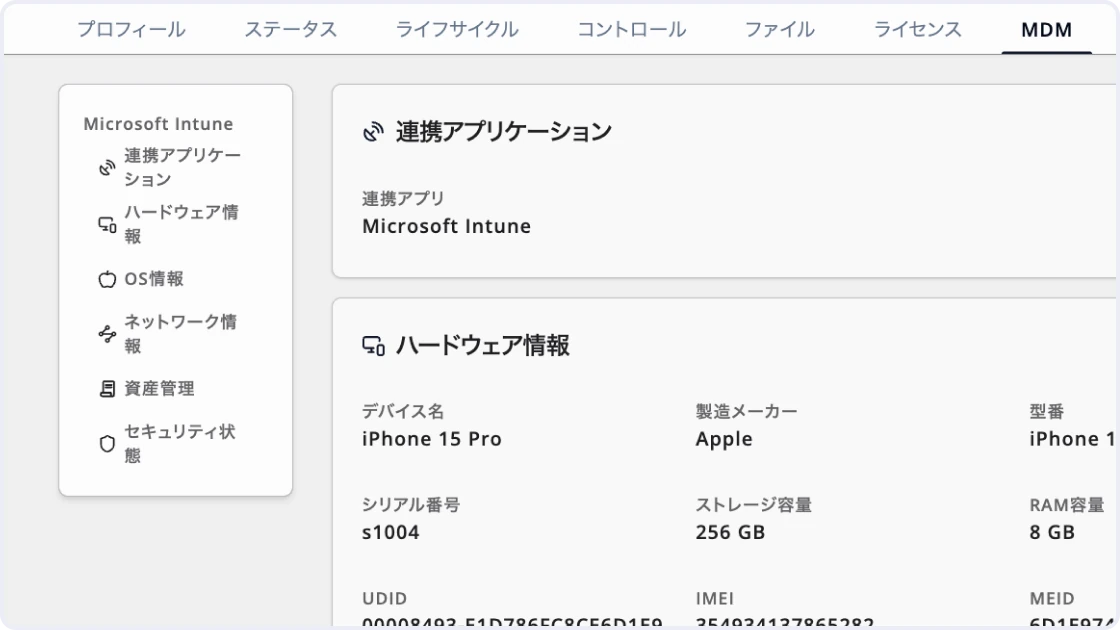
Build your device ledger automatically by connecting MDM
Integrate with MDM tools like Intune, Jamf Pro, and LANSCOPE, and device information is imported into the ledger automatically. Matching by serial number prevents duplicates, and MDM data is visible on the device detail screen. Eliminate manual ledger building and side-by-side checks against MDM screens.
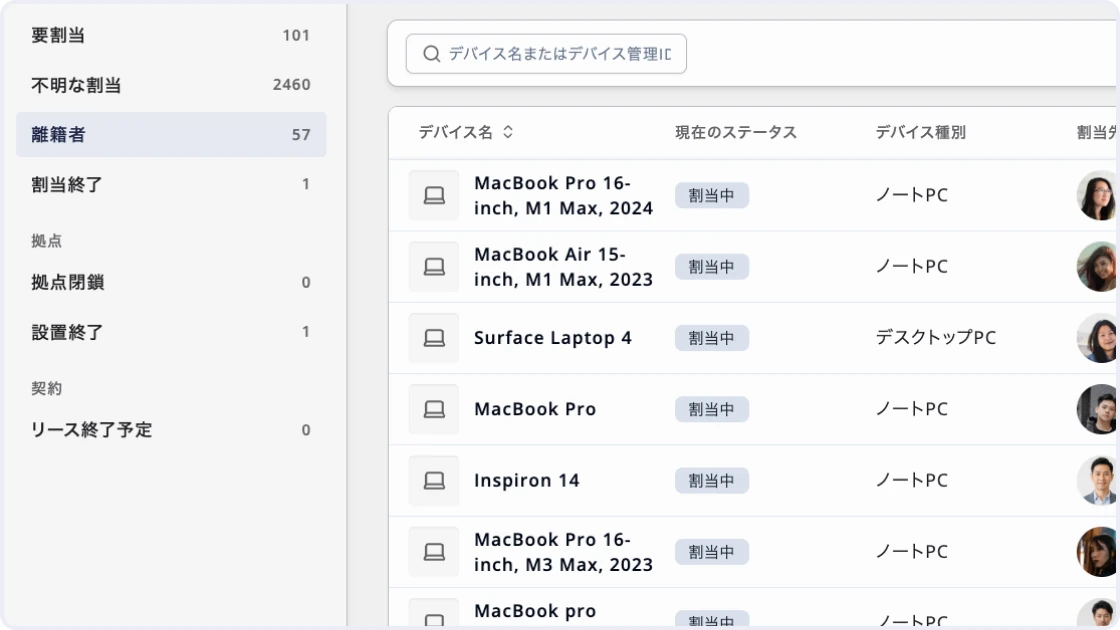
Prevent missed retrievals and assignments at departures and transfers with alerts
Surface HR data such as departures and transfers, along with devices past their assignment period, as alerts. Manage devices assigned to contractors and executives, not just employees, the same way.
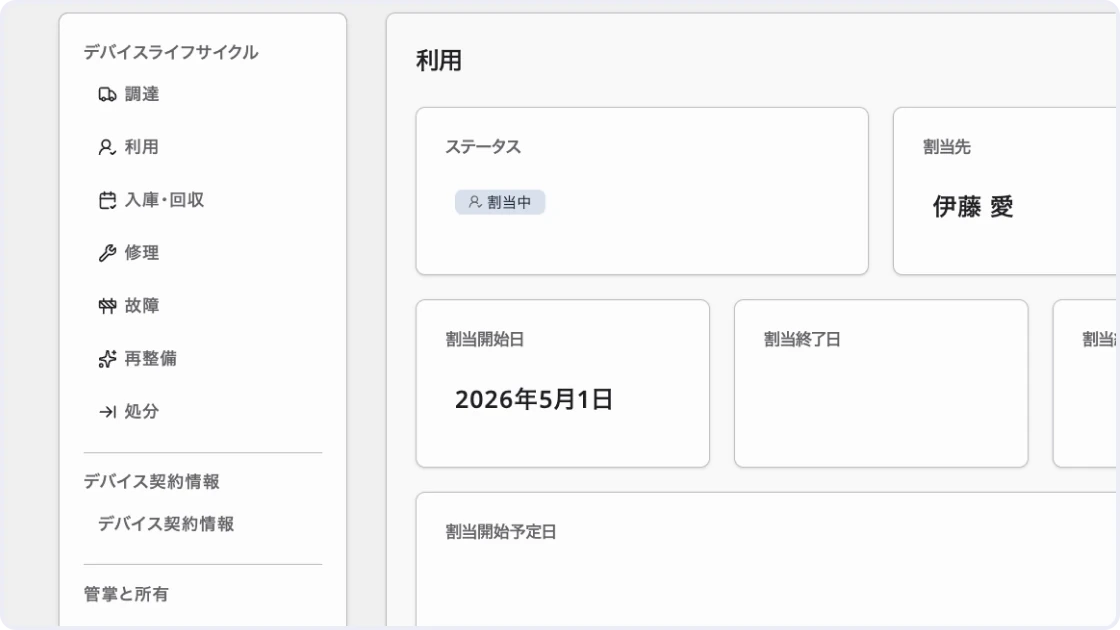
Pinpoint right away who has been using which device, and since when
Record the user, assignment period, location, owner, and more for each device, and keep a timeline from assignment to return, failure, repair, and disposal. With assignment and installation history at hand, you can answer questions about lost devices or audit inquiries straight from the ledger.
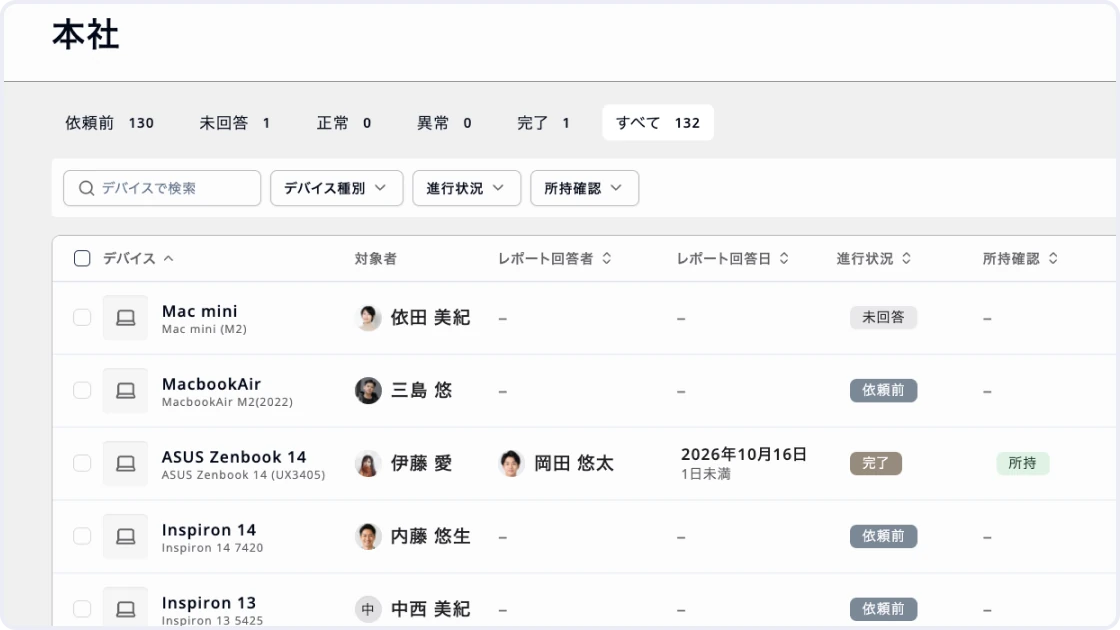
Run device inventory audits from request to reconciliation in one place
Send inventory audit requests to all users at once. Responses are listed by status — not answered, OK, or issue — so you act only on the items that need attention. Users complete their response just by scanning a QR code, improving response rates.
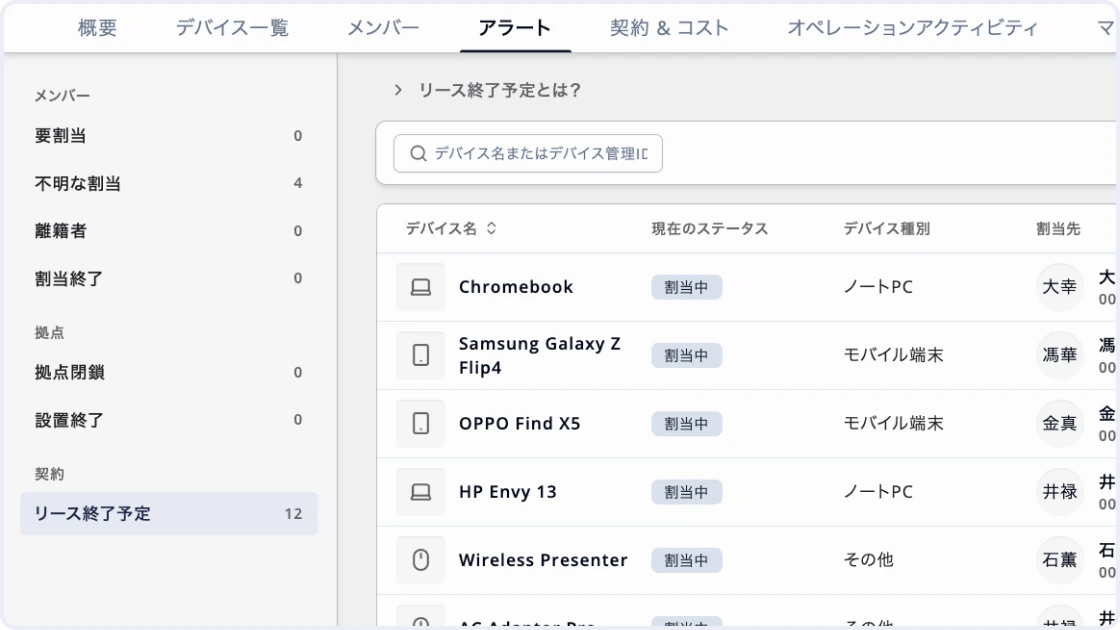
Decide on every lease and rental expiration in time
Manage lease and rental contracts linked to devices. Contracts nearing expiration appear in alerts, so decisions to return, re-lease, or replace are never late. Contact leasing companies and arrange replacements with time to spare.
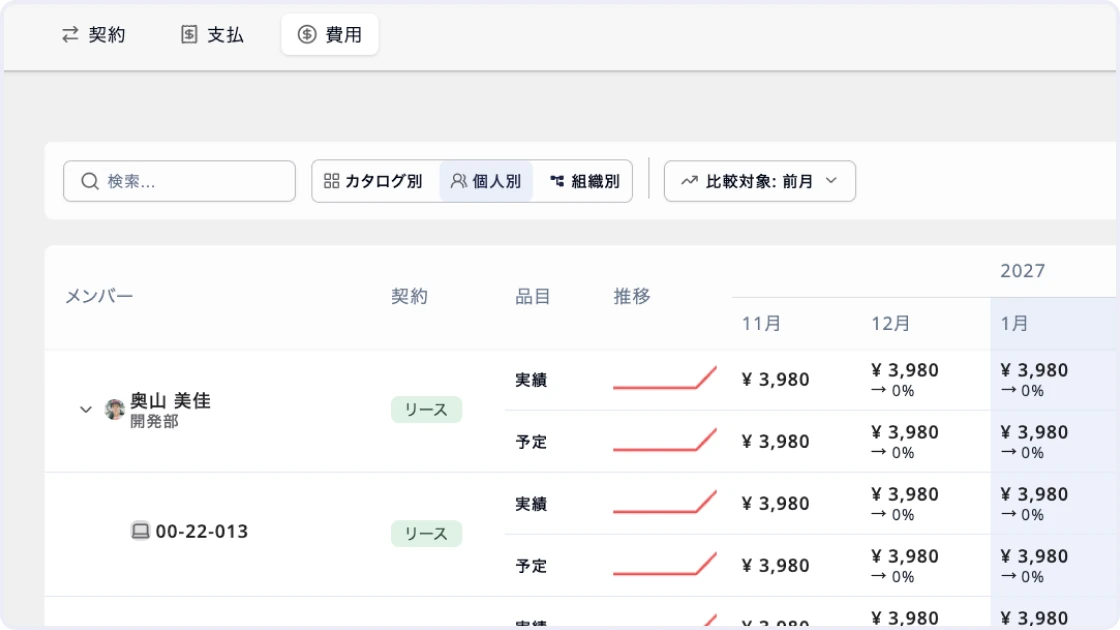
Track device costs by month and by department
Calculate monthly costs and payments from purchase and lease contracts, and compare budget against actuals side by side. Switch between views by person and by organization to pinpoint each department's share and any budget variance at once. Totaling costs no longer requires reconciling contracts against Excel.
Modules
Get your operations done
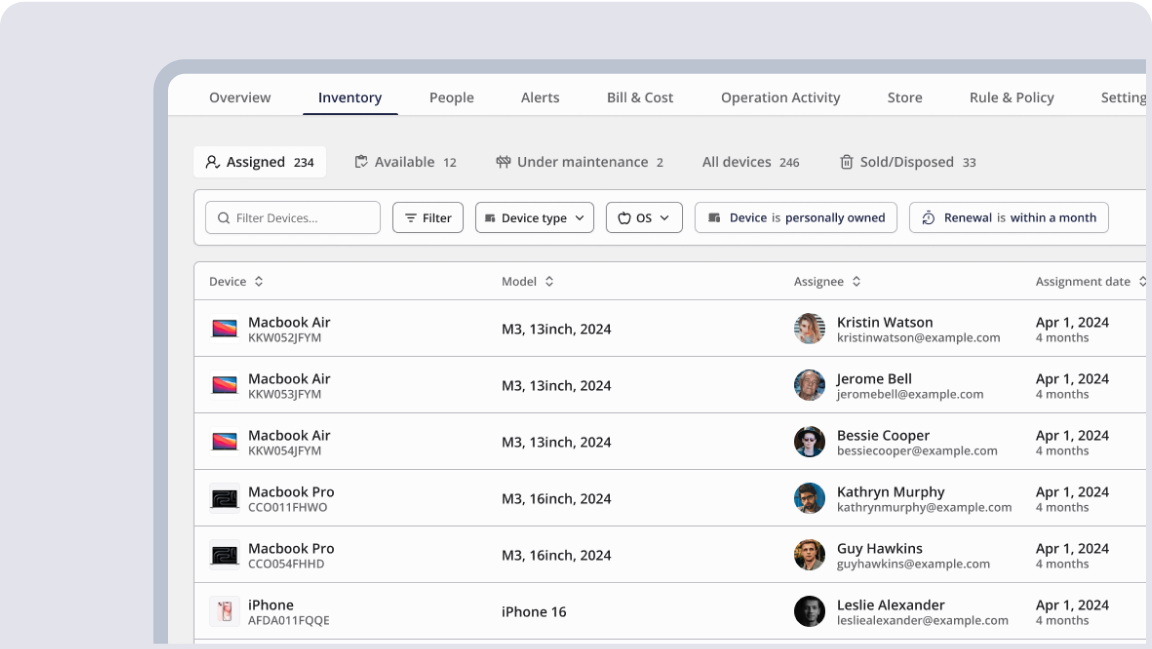
Device ledger
Register PCs, smartphones, tablets, monitors, servers, and more by type, and manage specs, serial numbers, asset numbers, users, and installation or storage locations in one ledger.
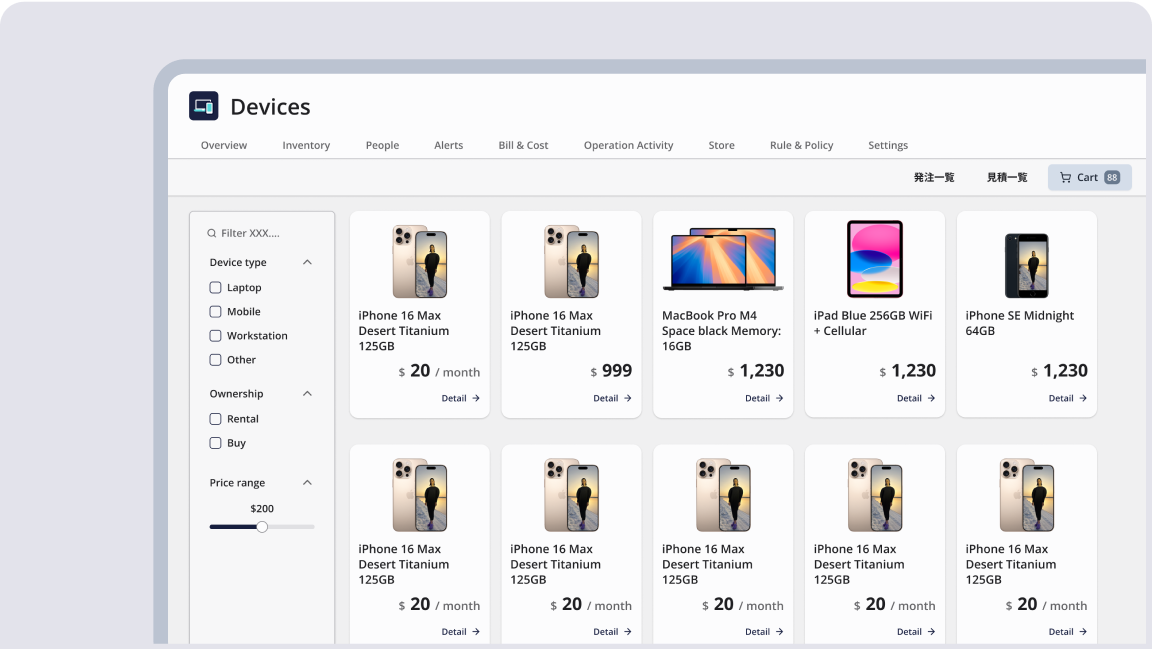
Device catalog
Register the manufacturers and specs of frequently used models as a catalog. Just pick from the catalog when registering a device to fill in common information, reducing repetitive entry for the same model.
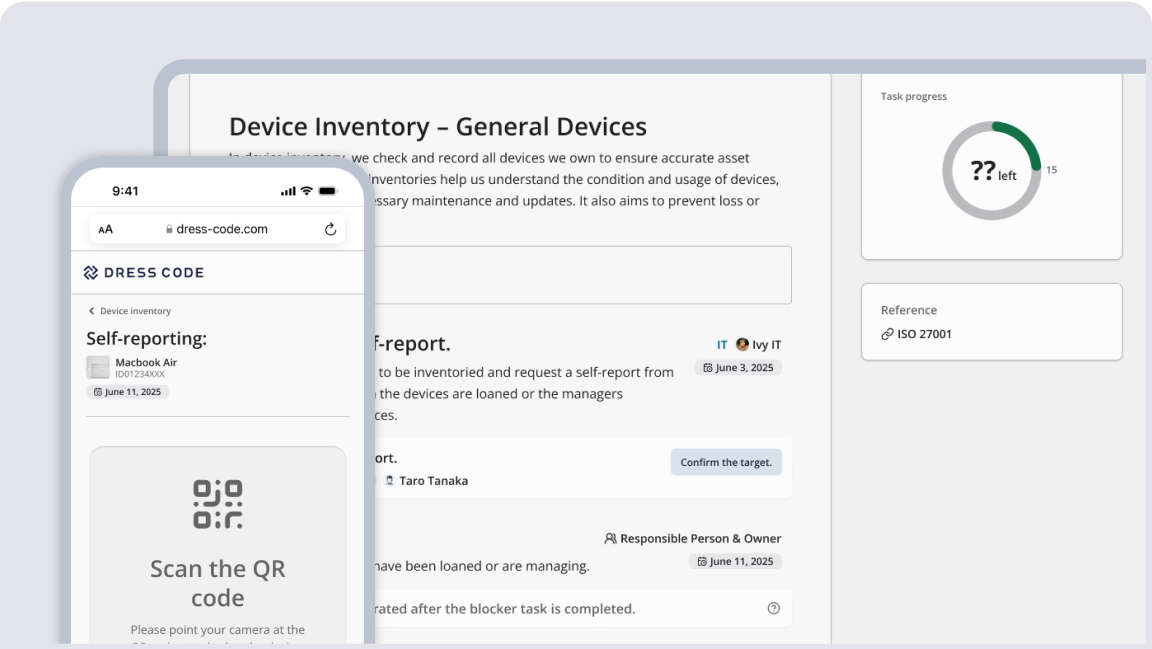
Inventory audit
Select target devices, request responses from users, and track status — not answered, OK, or issue — in one list. Handle only devices with discrepancies, and keep the results as history.
Alerts
Automatically extract devices held by departed members, upcoming ends of assignment or installation, upcoming lease ends, and devices at closed locations, and prioritize what needs action in one list.
Lifecycle management
Record status and history from procurement to assignment, installation, return, failure, repair, refurbishment, and disposal. Keep repair costs, data erasure records and certificates at disposal, and change history for each field.
Contract & cost
Link purchase and lease contracts and lease periods to devices, and total monthly costs and payments against budget and actuals. Break costs down by model, by person, or by organization.
MDM integration
Integrate with Intune, Jamf Pro, LANSCOPE, ManageEngine, and Miradore to import device information into the ledger automatically. Serial numbers prevent duplicates, and MDM data is visible on the device detail screen.
CSV bulk import
Import external data via CSV using templates for each device type. Catch rows with errors in a preview before registering.
Asset label printing
Issue asset labels with asset numbers and QR codes as PDFs in bulk. Use the labels for identification during inventory audits and physical checks.
Rule & policy
Define who should be assigned devices for each device group with rules. Automatically extract people covered by a rule who do not yet have a device, and people holding devices outside the rules.
Workflow integration
Use built-in request and approval workflows for device assignment, returns, BYOD registration, and more. Approved requests become tasks directly, eliminating re-entry.
SIMs & phone numbers
Record the SIMs and phone numbers in each device and manage how devices are linked to users. Helpful for locating tablets and smartphones whose users change often.
File management
Store receipts, installation photos, repair reports, disposal certificates, and more in folders by type — receipt, assignment, repair, disposal — linked to each device.
Overview
Track the essentials of device management at a glance, including device counts, breakdown by type, assignment and stock status, and upcoming lease expirations.
Operation activity
Record activity logs for device registration, assignment, return, information changes, and more. Trace who did what and when, and use the records for audits.
Notifications
Notify the people responsible via Slack, Teams, email, and more when an alert occurs. Catch missed retrievals or assignments without opening the admin console.
Cross-tenant integration
Connect the tenants of each group company to manage devices across companies.
Alerts
Automatically extract devices held by departed members, upcoming ends of assignment or installation, upcoming lease ends, and devices at closed locations, and prioritize what needs action in one list.
Lifecycle management
Record status and history from procurement to assignment, installation, return, failure, repair, refurbishment, and disposal. Keep repair costs, data erasure records and certificates at disposal, and change history for each field.
Contract & cost
Link purchase and lease contracts and lease periods to devices, and total monthly costs and payments against budget and actuals. Break costs down by model, by person, or by organization.
MDM integration
Integrate with Intune, Jamf Pro, LANSCOPE, ManageEngine, and Miradore to import device information into the ledger automatically. Serial numbers prevent duplicates, and MDM data is visible on the device detail screen.
CSV bulk import
Import external data via CSV using templates for each device type. Catch rows with errors in a preview before registering.
Asset label printing
Issue asset labels with asset numbers and QR codes as PDFs in bulk. Use the labels for identification during inventory audits and physical checks.
Rule & policy
Define who should be assigned devices for each device group with rules. Automatically extract people covered by a rule who do not yet have a device, and people holding devices outside the rules.
Workflow integration
Use built-in request and approval workflows for device assignment, returns, BYOD registration, and more. Approved requests become tasks directly, eliminating re-entry.
SIMs & phone numbers
Record the SIMs and phone numbers in each device and manage how devices are linked to users. Helpful for locating tablets and smartphones whose users change often.
File management
Store receipts, installation photos, repair reports, disposal certificates, and more in folders by type — receipt, assignment, repair, disposal — linked to each device.
Overview
Track the essentials of device management at a glance, including device counts, breakdown by type, assignment and stock status, and upcoming lease expirations.
Operation activity
Record activity logs for device registration, assignment, return, information changes, and more. Trace who did what and when, and use the records for audits.
Notifications
Notify the people responsible via Slack, Teams, email, and more when an alert occurs. Catch missed retrievals or assignments without opening the admin console.
Cross-tenant integration
Connect the tenants of each group company to manage devices across companies.

Ready to try DRESS CODE?
Contact us, and we'll be in touch shortly.

Dress Code Accelerates Your Business Operations Superconducting Silo and Friction
- Careers
- For Engineers
- For Business Roles
- Open Positions
- These pages are available in Japanese only.
© 2026 Dress Code Inc. All Rights Reserved.