IDs
Manage all the IDs used across your company — email addresses, phone numbers, employee numbers, and more — in one place. Link IDs to employees in the HR ledger and to accounts in each service, and identify at once who owns each ID and what it is for.
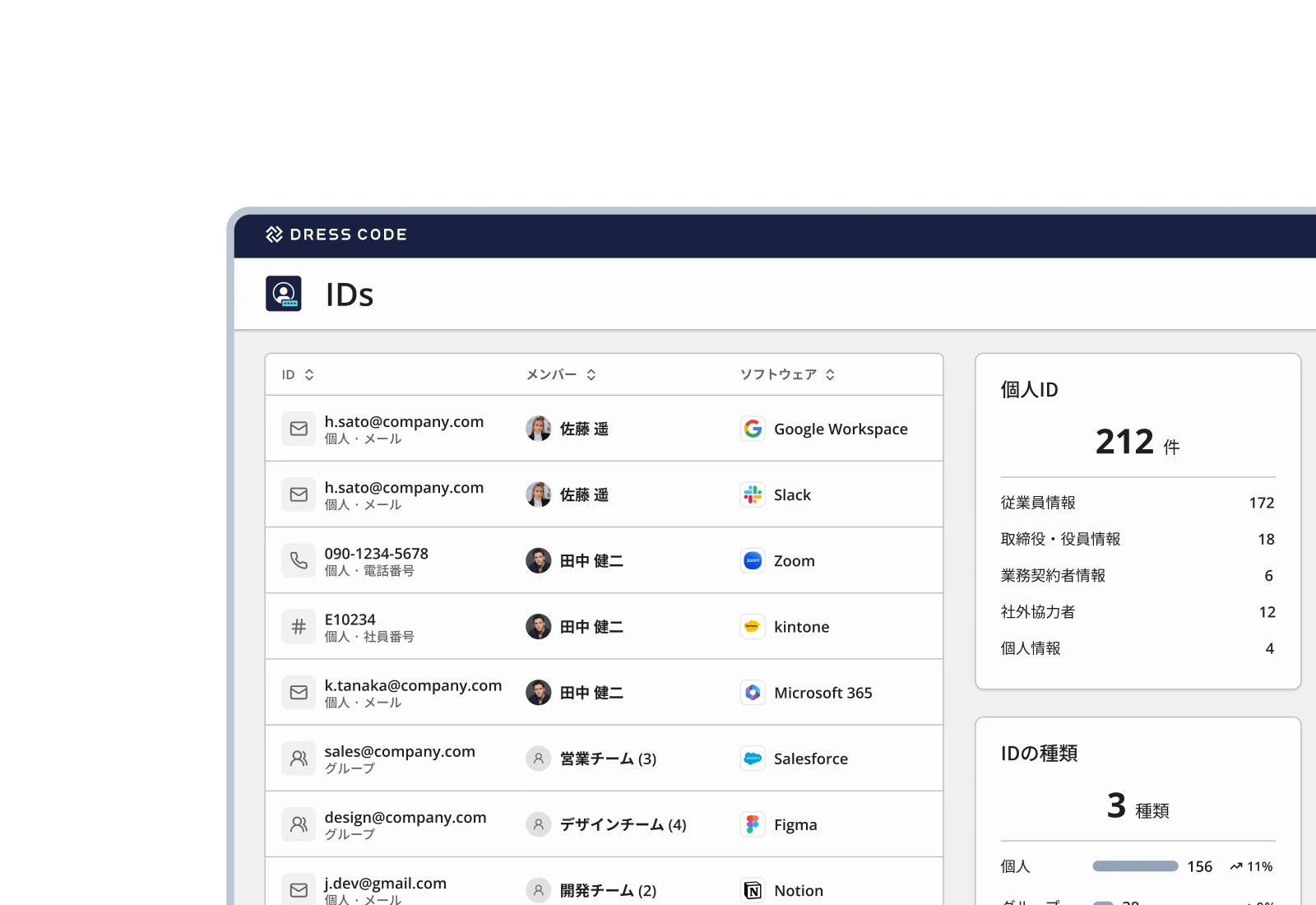
DRESS CODE redefines ID management
Identify who owns each ID, even when systems use different IDs
Manage the multiple IDs each person holds — email addresses, phone numbers, employee numbers, and more — linked to the employee. Even when IDs differ by system, identify at once who owns each ID.
Clarify ownership of IDs not tied to an individual
Manage IDs not tied to a specific employee — like representative addresses or shared department email addresses — in the same ledger. Register owners and users to make clear who manages and who uses each ID.
Connect with HR data to catch every ID that falls out of use
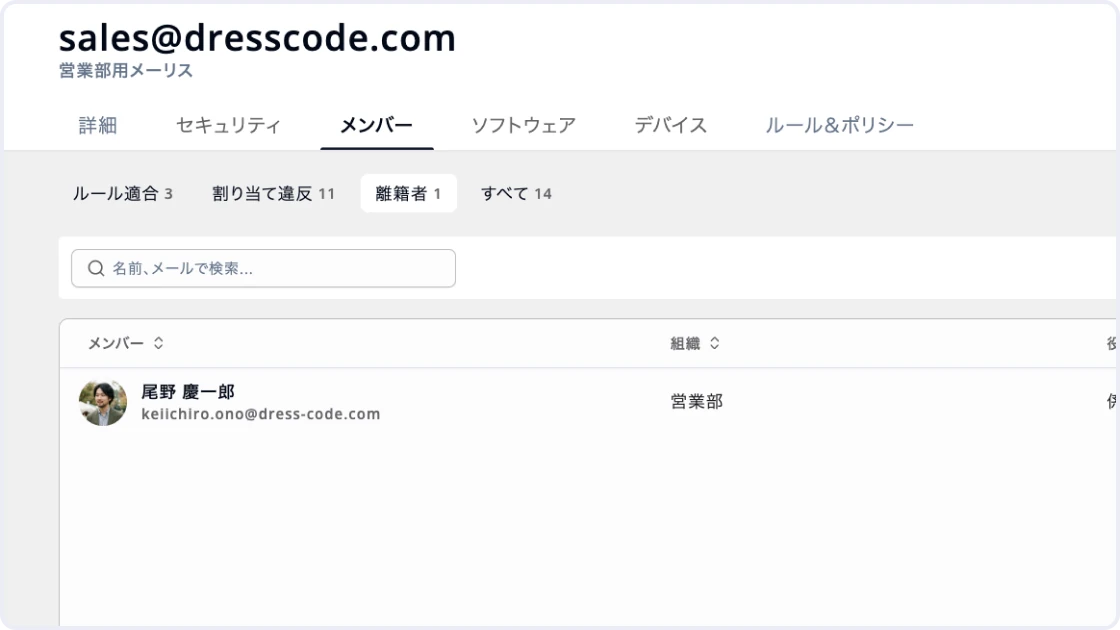
By linking IDs to members in the HR ledger, instantly surface the IDs of people who have left or transferred. Identify IDs that need review, such as email addresses no longer in use.
Manage the multiple IDs each person holds together
Link the multiple IDs each person holds — email addresses, phone numbers, and employee numbers for each company or purpose — to employees in the HR ledger. Even when different systems use different IDs, consolidate them around each employee. Spend less time investigating unknown IDs one by one, and gauge the impact at once when IDs need to be added, changed, or retired.
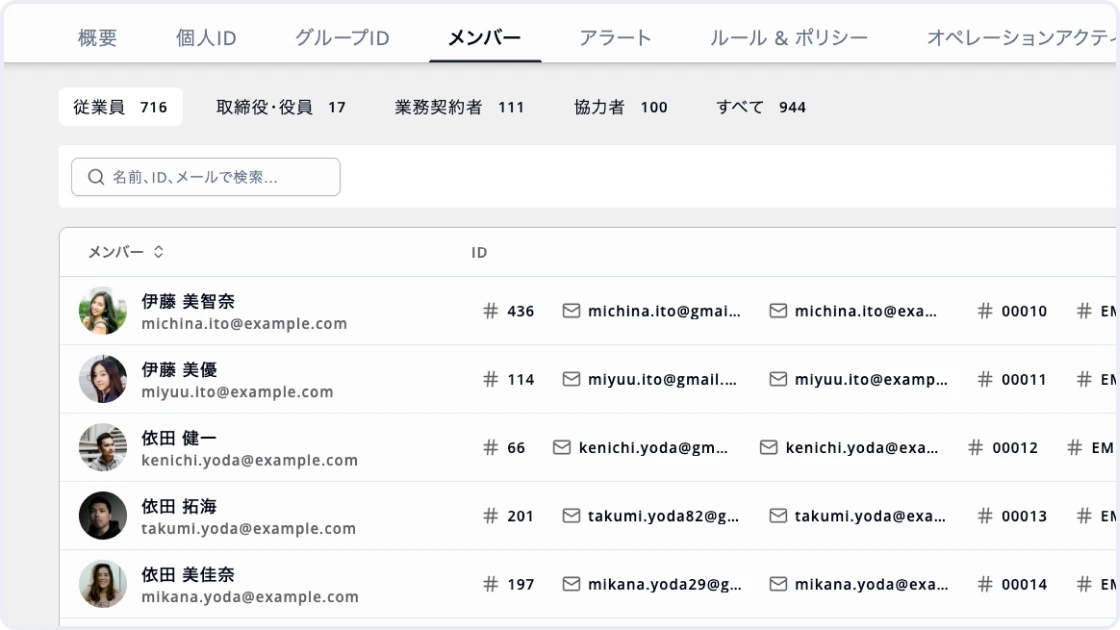
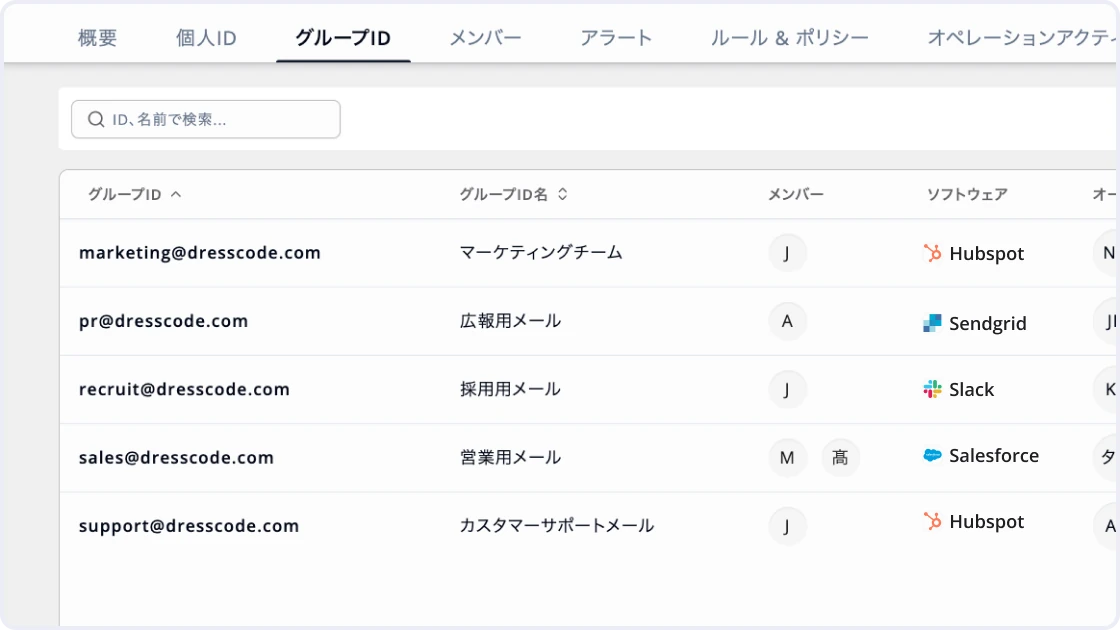
Manage group IDs together with individual IDs
Manage group IDs with multiple members — such as mailing lists and group addresses — alongside individual IDs. Track purpose, owner, and members in one list, so no one is left wondering "What is this group for?" or "Who manages it?" Use the list to audit and review ever-growing group IDs.
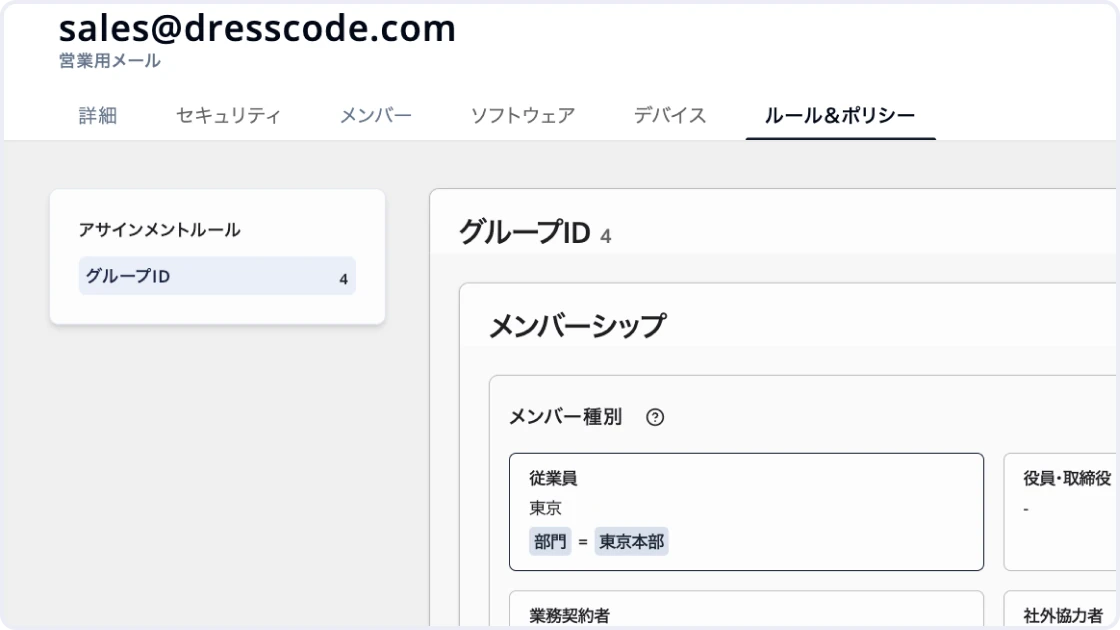
Manage group members based on department and role
Set rules for which members should belong to each group ID based on conditions like department, role, and employment type. Compare HR ledger data with actual membership to automatically detect people who need to be added or removed. Find missed additions and removals without going through people one by one at every transfer or reorganization.
Review IDs as people join, transfer, and leave
Linking IDs to the HR ledger lets you flag which IDs need review as people join, transfer, or leave. Track IDs still tied to departed employees and memberships in group IDs from previous departments in one place. Take every necessary action without relying solely on notices from HR or other departments.
Handle ID requests through registration and changes in one flow
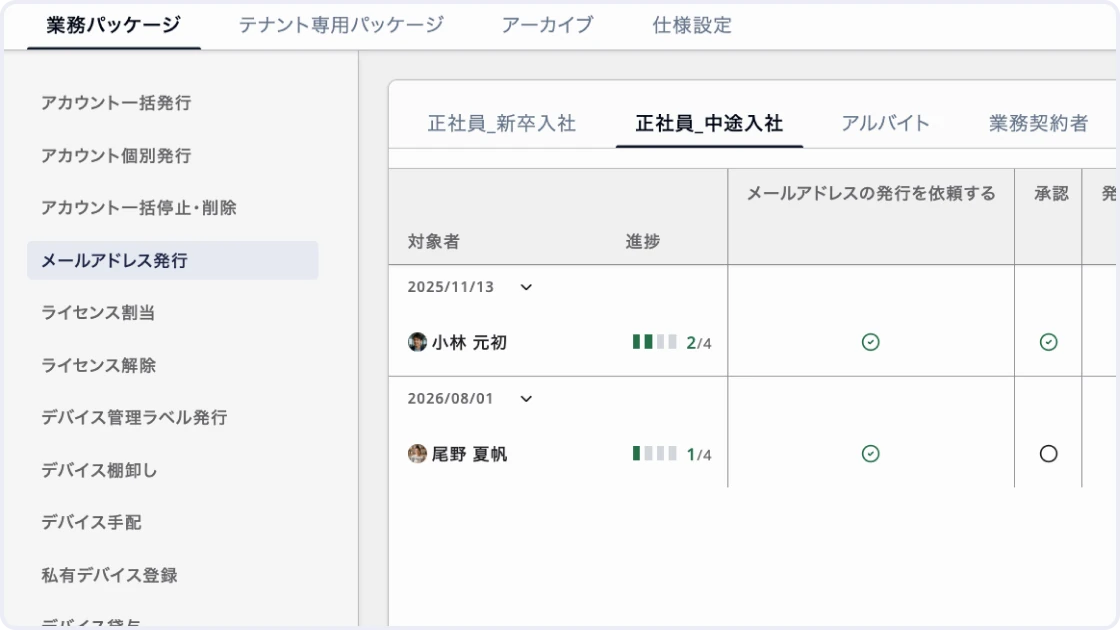
Manage ID-related requests and approvals — issuing or changing email addresses, joining or leaving group IDs, and more — on DRESS CODE. There is no need to re-enter approved requests into a separate ledger or ask individual staff to do the work. Approved requests flow straight into registration and changes, so you can manage everything from request to completion in one flow.
Modules
Get your operations done
ID ledger
Manage the IDs used across your company — email addresses, phone numbers, employee numbers, and more — together. Link each ID to an employee in the HR ledger and track the multiple IDs each person holds in one list.
Group ID ledger
Manage IDs used by multiple people — such as mailing lists and representative addresses — separately from individual IDs. Clarify who uses each ID and why, including purpose, owner, and users.
Alerts
Detect states that need review, such as IDs still tied to departed employees or group IDs whose owner is gone. Surface IDs that need action right away.
Rule & policy
Set which members should belong to each group ID based on conditions like department, role, and employment type. Manage who should be in which group according to organization and HR data.
Operation activity
Record activity logs for operations on DRESS CODE, such as registering or changing IDs and linking them to employees. Trace who changed what and when.
HR ledger integration
Link IDs to employees in the HR ledger and manage them along with department and employment status. Identify IDs that need review as people join, transfer, or leave.
Overview
Bring the status of ID management — registered IDs, group IDs, alert counts, and more — into one screen. Spot what needs action right away.
Workflow integration
Handle ID-related requests and approvals, such as issuing or changing email addresses. Reflect approved requests directly in ID registration and changes.
Notifications
Notify the people responsible via Slack, Teams, or email when an ID or group ID needs action. Catch what needs action right away without opening the admin console.
Rule & policy
Set which members should belong to each group ID based on conditions like department, role, and employment type. Manage who should be in which group according to organization and HR data.
Operation activity
Record activity logs for operations on DRESS CODE, such as registering or changing IDs and linking them to employees. Trace who changed what and when.
HR ledger integration
Link IDs to employees in the HR ledger and manage them along with department and employment status. Identify IDs that need review as people join, transfer, or leave.
Overview
Bring the status of ID management — registered IDs, group IDs, alert counts, and more — into one screen. Spot what needs action right away.
Workflow integration
Handle ID-related requests and approvals, such as issuing or changing email addresses. Reflect approved requests directly in ID registration and changes.
Notifications
Notify the people responsible via Slack, Teams, or email when an ID or group ID needs action. Catch what needs action right away without opening the admin console.

Ready to try DRESS CODE?
Contact us, and we'll be in touch shortly.

Dress Code Accelerates Your Business Operations Superconducting Silo and Friction
- Careers
- For Engineers
- For Business Roles
- Open Positions
- These pages are available in Japanese only.
© 2026 Dress Code Inc. All Rights Reserved.