Accesses
Visualize the SaaS and web services your employees use. Detect services the company is not aware of, personal accounts, and generative AI use, and turn what you find into stronger security and lower costs.
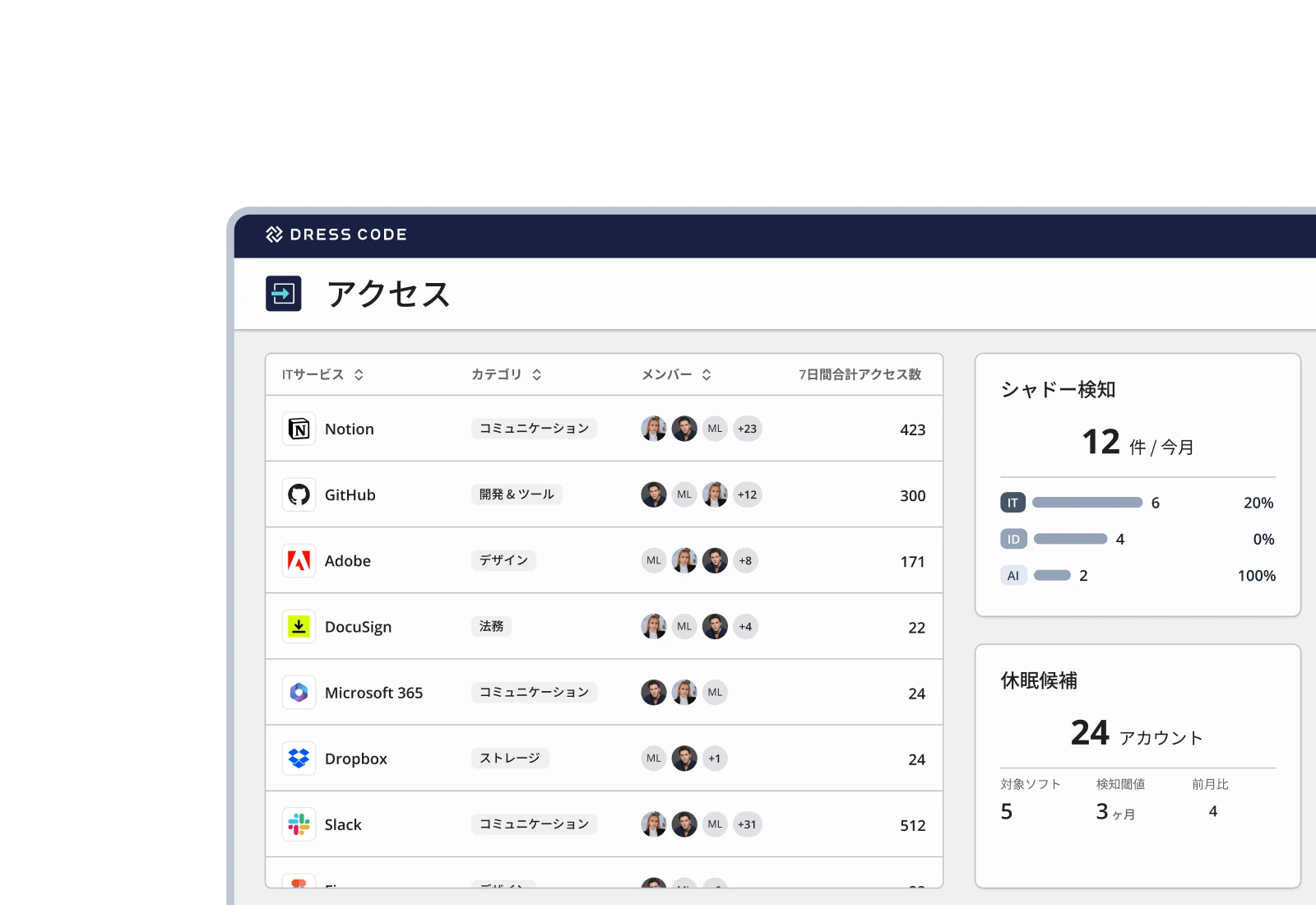
DRESS CODE redefines access management
Automatically detect services in use that the company is not aware of
Automatically detect use of unapproved services from browser access logs and SaaS audit logs. Understand Shadow IT, down to who uses which service and how much.
Catch every use of personal accounts and generative AI
Detect services used with personal accounts and access to unapproved generative AI services. Understand the risk of data leaks through unmanaged services and IDs, and prioritize your response based on usage.
Find unnecessary accounts from actual usage
Detect dormant accounts using not just last logins but also audit logs and browser access records. Identify deactivation candidates based on actual use, cut unneeded licenses, and optimize SaaS costs.
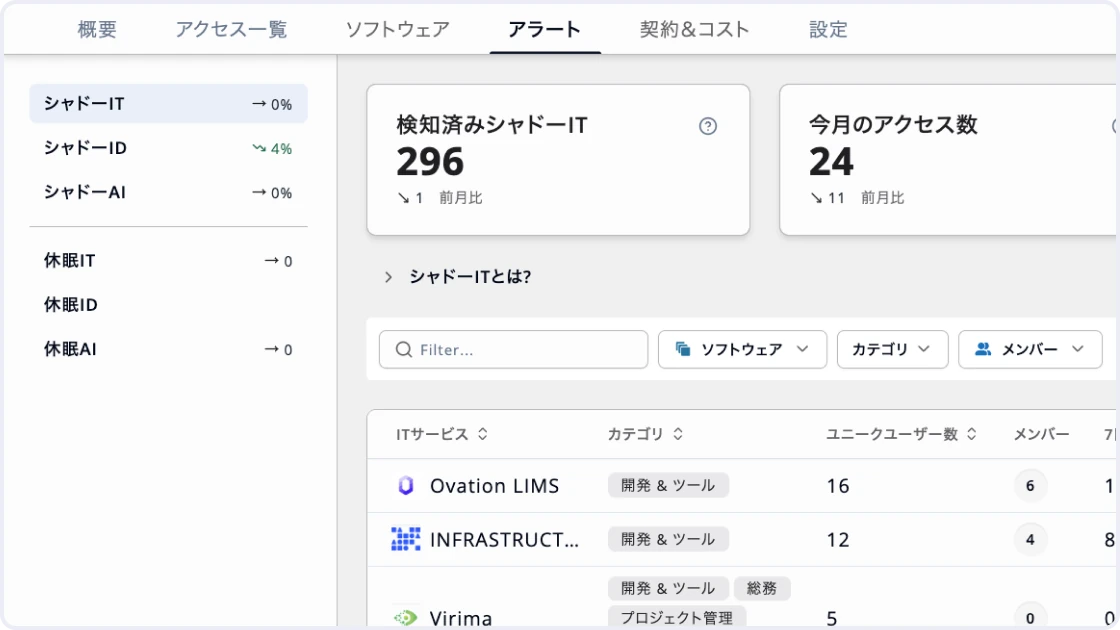
Automatically detect use of unapproved services
Collect access from the browser extension and SaaS audit logs, and automatically detect use of unapproved services as Shadow IT. Drill into user counts and access counts for each service, down to who used it and when. Find services used under the radar and decide whether to manage them officially or restrict their use.
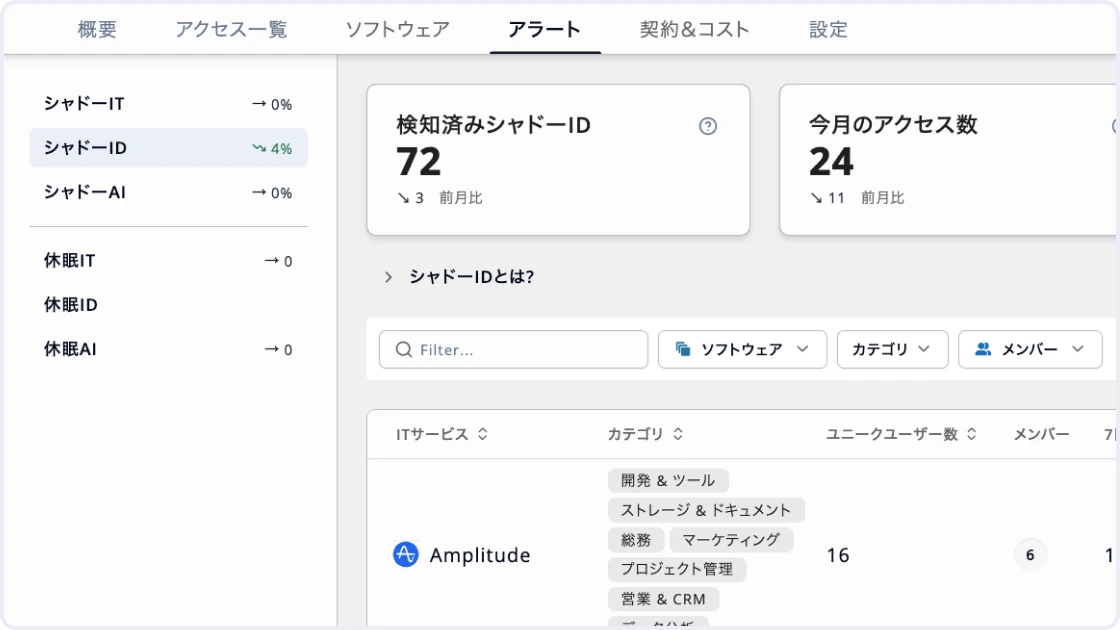
Catch every business use of personal accounts
Detect logins with unmanaged IDs, such as personal email addresses, as Shadow ID. Identify the IDs actually used and the members who accessed with them. Notice early the risk of company data being stored or shared in personal accounts, and follow up with the person or switch to a company-managed account.
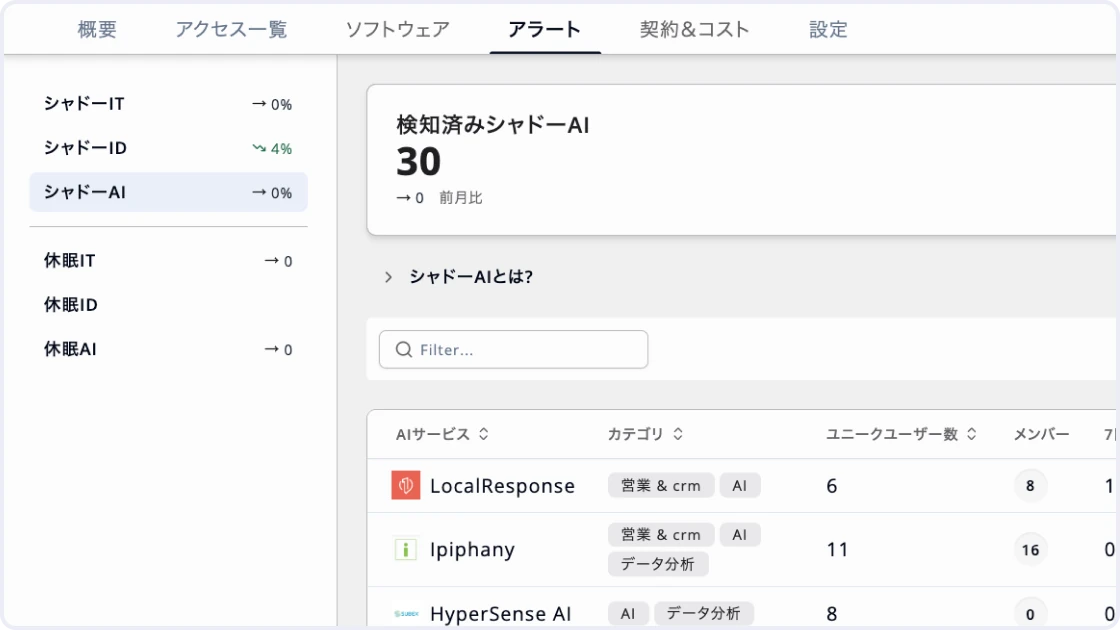
Track generative AI usage by service and member
Detect access to generative AI services the company does not manage as Shadow AI, and track in one list which services are used, by whom, and how much. Uncover risks the company has not been aware of, such as confidential information entered into generative AI. Use actual usage to choose services to adopt officially and to set usage rules.
Find unused accounts and cut costs
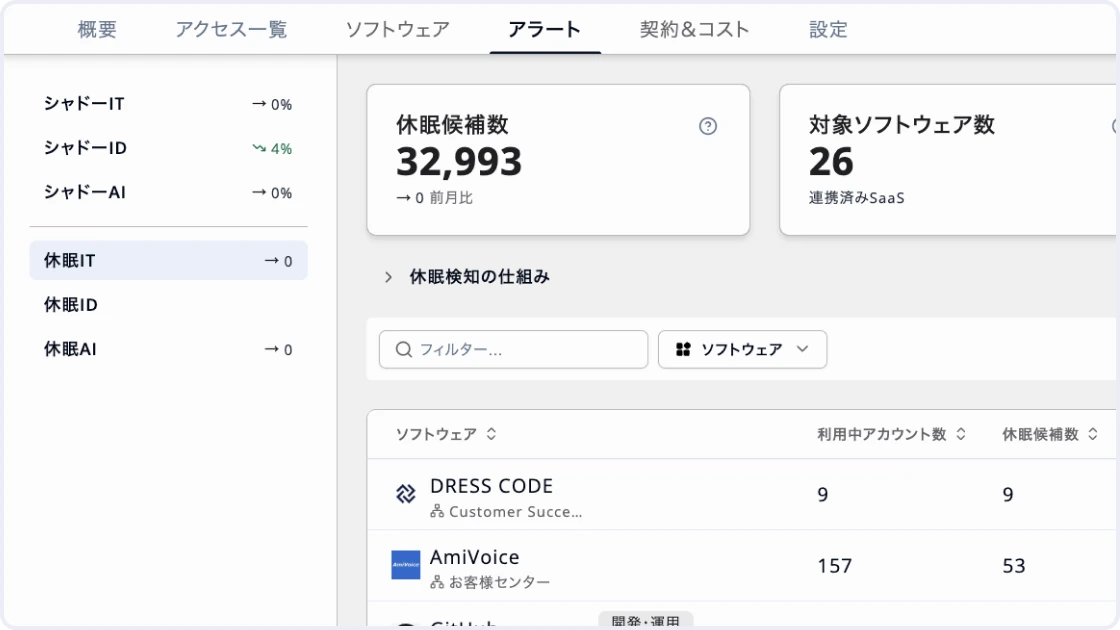
Identify dormant accounts using audit logs and browser access records in addition to last logins in admin consoles. Triage candidates by status — departed, temporarily inactive, low usage, or unused. Decide which accounts to deactivate based on actual use, and reduce unused SaaS licenses.
Modules
Get your operations done
Shadow IT detection
Automatically detect access to SaaS and web services the company has not approved. Track user counts, access counts, and the members who accessed each service in one list.
Shadow ID detection
Detect logins with IDs not managed in DRESS CODE. Pinpoint the IDs actually used, such as personal email addresses, and the members who used them.
Shadow AI detection
Detect access to generative AI services the company does not manage. List user counts and access for each service, and uncover business use of generative AI you were not aware of.
Dormant account detection
Detect unused accounts based on last logins and actual access. Triage deactivation candidates by status — departed, temporarily inactive, low usage, or unused.
Access ledger
Manage access to SaaS and web services in one list. Drill down from usage by service to individual logs — date and time, member, ID, device, destination, and more.
Overview
Bring Shadow IT, ID, and AI detection counts, dormant candidates, and service usage into one screen. Track detection trends alongside the most-used services.
Browser extension integration
Collect service use and logins on work devices through Chrome and Edge extensions. Deploy the browser extensions to employee devices in bulk using Google Workspace, Intune, and more.
Google Workspace audit logs
Retrieve Google Workspace audit logs and manage them alongside DRESS CODE access data. Fill in usage and login records the browser extension alone cannot capture.
HR ledger integration
Match IDs detected at access against HR data such as work email, personal email, and employee numbers. Identify who actually used a service, from full-time employees to contractors.
Access analytics
Total user and access counts for each software and list actual usage. Export to CSV for SaaS usage analysis and internal reporting.
Rule & policy
Set a response policy, such as temporary allow or block, for each detected service. Configure detection rules to fit your operations, such as the period for judging dormancy and accounts to exclude.
Risk scoring
Visualize the state of IT governance as a score based on how Shadow IT and dormant accounts are being handled. Spot areas where response is lagging and points to improve first.
Alerts
Consolidate newly detected Shadow IT, Shadow ID, Shadow AI, and dormant accounts as alerts. Prioritize what needs action so nothing slips through.
Operation activity
Record activity logs for actions such as temporarily allowing or blocking access and excluding or deactivating dormant accounts. Trace who took what action and when.
Notifications
Notify the people responsible via Slack, Teams, or email when alerts such as Shadow IT or dormant accounts are detected. Catch usage that needs action right away without opening the admin console.
Dormant account detection
Detect unused accounts based on last logins and actual access. Triage deactivation candidates by status — departed, temporarily inactive, low usage, or unused.
Access ledger
Manage access to SaaS and web services in one list. Drill down from usage by service to individual logs — date and time, member, ID, device, destination, and more.
Overview
Bring Shadow IT, ID, and AI detection counts, dormant candidates, and service usage into one screen. Track detection trends alongside the most-used services.
Browser extension integration
Collect service use and logins on work devices through Chrome and Edge extensions. Deploy the browser extensions to employee devices in bulk using Google Workspace, Intune, and more.
Google Workspace audit logs
Retrieve Google Workspace audit logs and manage them alongside DRESS CODE access data. Fill in usage and login records the browser extension alone cannot capture.
HR ledger integration
Match IDs detected at access against HR data such as work email, personal email, and employee numbers. Identify who actually used a service, from full-time employees to contractors.
Access analytics
Total user and access counts for each software and list actual usage. Export to CSV for SaaS usage analysis and internal reporting.
Rule & policy
Set a response policy, such as temporary allow or block, for each detected service. Configure detection rules to fit your operations, such as the period for judging dormancy and accounts to exclude.
Risk scoring
Visualize the state of IT governance as a score based on how Shadow IT and dormant accounts are being handled. Spot areas where response is lagging and points to improve first.
Alerts
Consolidate newly detected Shadow IT, Shadow ID, Shadow AI, and dormant accounts as alerts. Prioritize what needs action so nothing slips through.
Operation activity
Record activity logs for actions such as temporarily allowing or blocking access and excluding or deactivating dormant accounts. Trace who took what action and when.
Notifications
Notify the people responsible via Slack, Teams, or email when alerts such as Shadow IT or dormant accounts are detected. Catch usage that needs action right away without opening the admin console.

Ready to try DRESS CODE?
Contact us, and we'll be in touch shortly.

Dress Code Accelerates Your Business Operations Superconducting Silo and Friction
- Careers
- For Engineers
- For Business Roles
- Open Positions
- These pages are available in Japanese only.
© 2026 Dress Code Inc. All Rights Reserved.